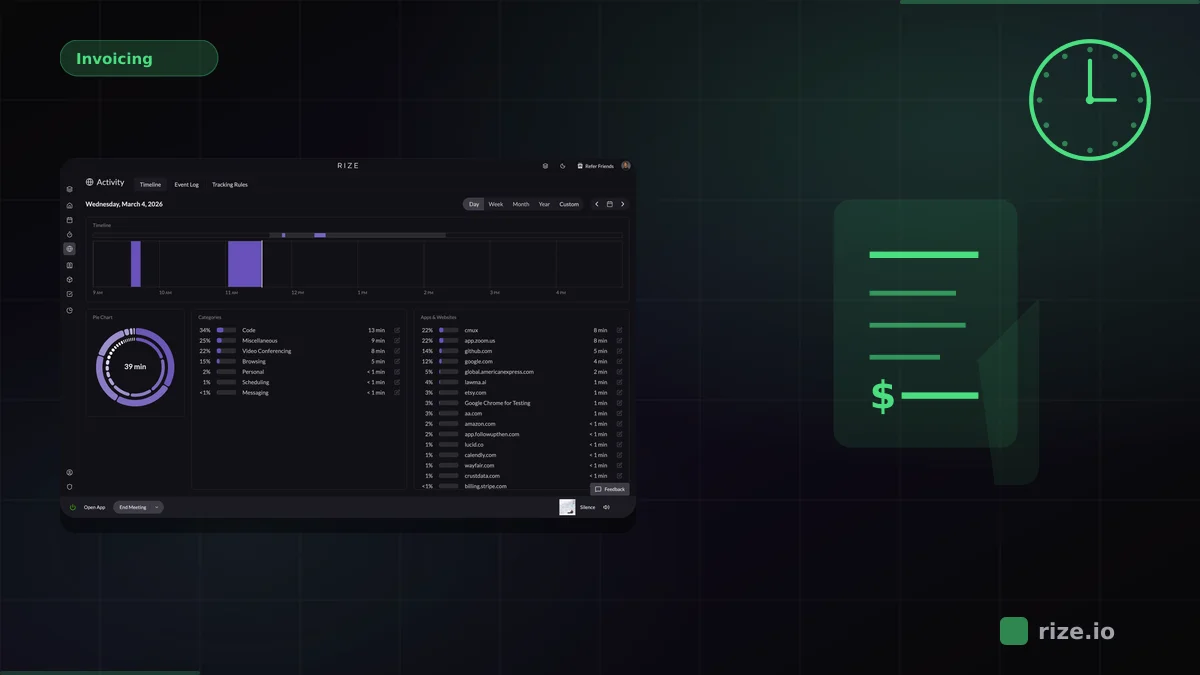
The best time tracking setup for Google Calendar captures both meeting time and everything that happens between meetings. For agencies and professional-services teams, that means automatic tracking across your entire desktop, with Google Calendar providing the meeting layer.
Google Calendar tells you when meetings were scheduled. It does not tell you what you worked on for the 3 hours between those meetings. That gap between scheduled time and actual work time is where billing accuracy, project estimates, and utilization data break down.
15-40%
Typical billable hours lost when teams rely on calendar-based estimates instead of actual time data.
20%
More billable time recovered by Momentum Studio after switching from manual tracking to Rize.
98%
Billing accuracy reached by Impulse Labs using automatic capture instead of calendar-based estimates.
Key Takeaway
Rize is the best time tracking tool for Google Calendar because it captures both meeting time and focused work automatically. It imports calendar events via native Google Calendar integration and tracks every desktop application in the background. Toggl Track is better if you prefer starting timers manually from calendar events.
Why Google Calendar Is Not Enough for Time Tracking
Google Calendar records scheduled events, but it does not track real working time. A 30-minute client call that runs to 50 minutes still shows as 30 on the calendar. A 2-hour block labeled "project work" tells you nothing about which apps, documents, or tasks filled those hours.
For teams that bill by the hour, this gap is expensive. The average knowledge worker spends about 35% of their day in meetings and the remaining 65% in focused work, communication, and admin tasks. Calendar-only tracking captures the 35% and ignores the rest.
Teams using calendar-based estimates to bill clients typically miss 15-40% of their actual work time. An automatic workflow changes this: capture all desktop work as it happens with automatic time tracking, import meetings from Google Calendar, and get a complete picture of where every hour went.
Comparing the 6 Best Time Trackers for Google Calendar
The main distinction is what the tool tracks beyond calendar events. Rize captures meetings and all desktop work automatically. Timely also offers automatic tracking. Toggl, Clockify, Harvest, and Everhour sync with Google Calendar but depend on manual timers for everything else.
| Tool | Tracking method | Google Calendar workflow | Pricing | Best for |
|---|---|---|---|---|
| Rize | Fully automatic desktop capture | Native import of calendar events as time entries | From $9.99/mo | Teams that need meeting and deep-work tracking combined |
| Toggl Track | Manual timers with background timeline | Sync calendar events and start timers from events | Free; Starter $9/user/mo | Teams with disciplined timer habits |
| Clockify | Manual timers with optional auto tracker | Calendar import and sync | Free; Pro $7.99/user/mo | Budget-conscious teams |
| Harvest | Manual timers | Calendar event import | Free (1 seat); Teams $9/seat/mo + usage fees | Teams that need tracking plus invoicing |
| Timely | Automatic tracking with AI timeline | Calendar import and auto-matching | From $9/user/mo | Teams that want AI-assisted manual approval |
| Everhour | Manual timers embedded in PM tools | Sync via integrations | Free (5 users); Team $8.50/user/mo | Teams using Asana/Jira that want calendar sync |
Rize: Best for Meeting Plus Deep-Work Tracking
Rize is the best fit for Google Calendar users who need accurate time data for both meetings and the focused work between them. It imports Google Calendar events as time entries and simultaneously captures every desktop application, browser tab, and document session in the background.
That combination fills the gap that calendar-only tracking leaves open. A consultant might have 3 hours of client calls on the calendar, but the other 5 hours of research, drafting, email, and Slack work are invisible unless something captures them. Rize handles both sides automatically.
The Google Calendar integration imports events with context: meeting title, duration, and attendees flow into Rize's timeline alongside desktop activity. AI categorization then assigns all of it to the correct project and client.
Momentum Studio recovered 20% more billable time after switching from manual tracking to Rize. Impulse Labs reached 98% billing accuracy. For Google Calendar users, the biggest improvement usually comes from capturing the deep-work hours that calendars never show.
Track meetings and focused work in one place
Rize imports Google Calendar events automatically and captures every desktop work session between them.
Start Free TrialToggl Track: Best Manual Timer with Calendar Sync
Toggl Track is the strongest timer-based option for Google Calendar users. It syncs with Google Calendar so you can start timers directly from calendar events, and its background timeline helps fill gaps between timed sessions.
The Starter plan at $9/user/month adds project tracking and team features. Toggl's reporting is clean and well-designed. The tradeoff is the standard timer limitation: focused work between meetings only gets tracked when someone remembers to start the timer.
For teams that already have strong timer discipline, Toggl plus Google Calendar is a proven workflow. For teams where the problem is forgotten hours, the manual step is exactly where data quality breaks down.
Timely: Automatic Tracking with a Different Model
Timely also offers automatic time tracking with Google Calendar integration. It captures desktop activity and presents an AI-generated timeline that users review and approve. The model is similar to Rize but with a different interface and pricing structure.
Timely starts at $9/user/month for the Starter plan and goes up to $16/user/month for the Premium plan with teams and resource planning. It is a credible automatic tracking option, though Rize offers a more privacy-focused model with no screenshot capture.
Clockify, Harvest, and Everhour
Clockify, Harvest, and Everhour are all solid manual-timer options with Google Calendar sync. They each import calendar events as time entries but depend on manual timers to capture the rest of the workday.
Clockify is the budget choice with a free tier and calendar import. It works for teams that need basic tracking at the lowest possible cost. At $7.99/user/month, the Pro plan adds more reporting and admin features.
Harvest adds invoicing and expense management to time tracking. Its Google Calendar integration imports events and lets you create time entries from them. At $9/seat/month (annual) plus usage-based fees for additional invoices, projects, and clients, it is the right choice when billing needs to live inside the same tool as tracking.
Everhour integrates with project management tools like Asana and Jira and syncs calendar data through those integrations. The free plan covers 5 users. At $8.50/user/month, it adds budgeting and invoicing. It works best when the calendar is one input alongside a project management tool.
The Meeting-to-Deep-Work Ratio Problem
Most time tracking failures with Google Calendar come from the same root cause: the calendar captures scheduled time but not actual work time. A team with 4 hours of meetings on the calendar might work 8 hours total. The missing 4 hours of focused work are where billing accuracy collapses.
Gloria Mark's research at UC Irvine found that knowledge workers take roughly 23 minutes to refocus after a context switch. Those transition periods between meetings, when someone is settling back into a document or catching up on messages, rarely get logged by timer-based tools. Automatic capture picks them up.
For agencies billing $150/hour, even 1 hour of uncaptured deep work per person per day represents $150/day per team member. Over a 10-person team, that is $7,500/week in potential revenue that never reaches an invoice.
Privacy Without Surveillance
Rize tracks time without screenshots, keystroke logging, or screen recordings. It detects which applications and browser tabs are active, not what is on screen. Google Calendar event details flow in, but Rize does not read email content or message text.
That privacy-first model is important for teams where trust matters. Automatic tracking should make time data more accurate, not make people feel watched. For team-level reporting, Rize for Teams provides utilization dashboards and project views built on the same privacy foundation.
Which Google Calendar Time Tracker Should You Choose?
Choose based on what is missing from your current data. If you only know meeting time and need the full picture, choose Rize. If you want manual timer control linked to calendar events, choose Toggl Track. If cost matters most, choose Clockify. If you need invoicing, choose Harvest. If you want another automatic option, evaluate Timely.
For most teams using Google Calendar, the time tracking gap is not about meetings. It is about everything that happens between them. Automatic capture fills that gap and gives you billing data that reflects reality instead of estimates.
Start with automatic time tracking, review the Google Calendar integration, check pricing, or try Rize free for 7 days.
Start tracking time automatically
Join thousands of professionals who stopped guessing where their time goes. Free for 7 days.
“Rize has been a no-brainer for me.” — Ali Abdaal Read more →