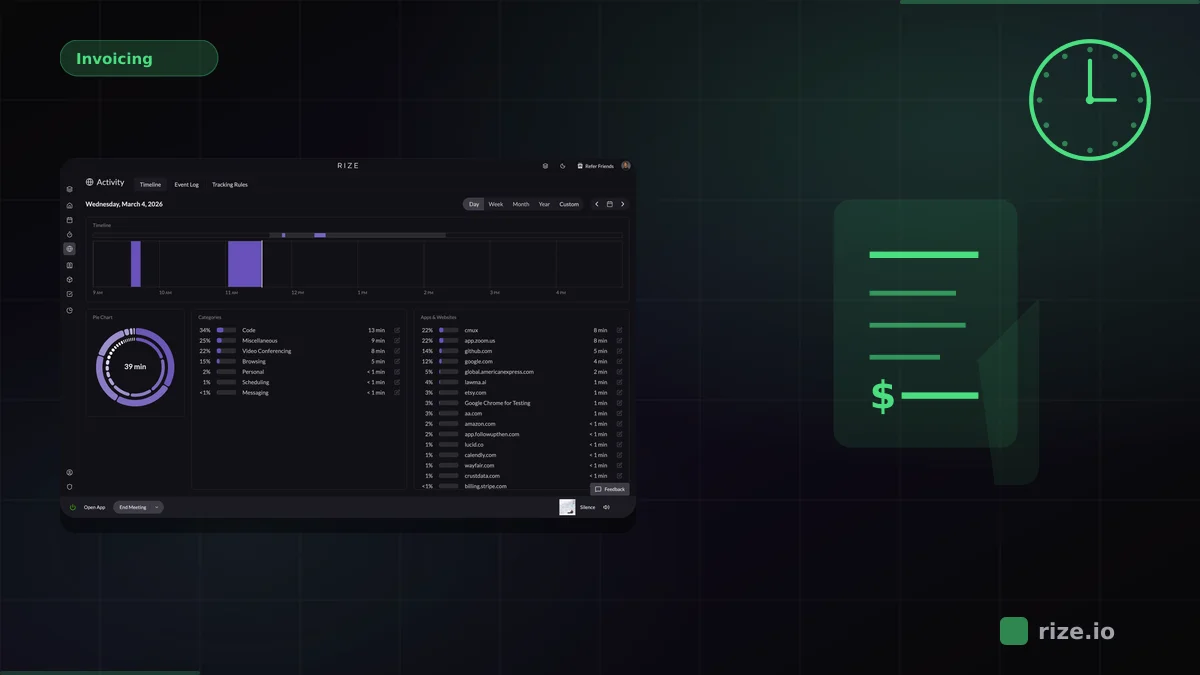
The best automatic time tracking for Asana captures every work session in the background and logs it to Asana tasks without manual timers. Rize does this through a native two-way Asana integration, which gives retainer and fixed-fee agencies estimates vs. actuals per task without chasing timesheets. Toggl Track and Everhour connect to Asana natively but rely on manual timers.
If your team runs projects in Asana, you already know that built-in time fields are bare-bones. Most teams bolt on a separate time tracker, but the majority of those tools still rely on start/stop timers that people forget to use. That gap between actual work and logged work is where billable hours disappear.
Key Takeaway
Automatic time tracking removes the biggest friction point in Asana workflows: remembering to log hours. Rize runs in the background, captures every app and document you touch, and pushes that data to your Asana tasks via a native two-way sync — recovering the billable hours that manual timers miss.
Why Asana Users Need Automatic Time Tracking
Asana is built for task and project management, not time capture. Its native time fields require manual input, and most teams either skip them entirely or fill them in at the end of the week from memory. According to the PMI Pulse of the Profession report, poor time and resource estimation is a leading cause of project failure — and inaccurate time data is where that estimation breaks down.
Manual timers solve part of the problem, but they introduce their own overhead. Every context switch — hopping from a Figma file to a Slack thread to a Google Doc — means another timer to stop and start. According to Gloria Mark's research at UC Irvine, it takes roughly 23 minutes to refocus after a context switch. Asking your team to manage timers on top of that makes the problem worse.
Automatic time tracking works differently. It runs silently in the background, detecting which apps, documents, and URLs you use, then maps that activity to the correct project. No timers to start, no timesheets to approve, no end-of-week guessing.
How Rize's Asana Integration Works
Rize connects directly to Asana with a native two-way sync — no Zapier middleware or browser extensions required. Time captured automatically by Rize is assigned to your Asana tasks, and changes to task names in Asana sync back to Rize in real time via webhooks.
Setup takes under five minutes:
- Install Rize on your computer (macOS or Windows).
- Go to Settings → Integrations and click Asana.
- Authorize the connection in your browser — you are redirected back automatically.
- Select which Asana workspaces to sync and map them to Rize workspaces.
- Pick specific team members and projects to include, or sync everything.
Once connected, Rize pulls in your Asana tasks with their project associations and assignees. When Rize generates automatic time entry suggestions from your background activity, you select the Asana task and save. The time entry appears in Asana immediately.
Key integration features:
- Two-way sync: Time logged in Rize updates Asana tasks, and Asana task changes sync back to Rize.
- Workspace and project mapping: Choose which Asana workspaces and projects sync to Rize.
- Granular control: Include or exclude specific team members and projects.
- Estimated vs. actual hours: Compare Asana time estimates against Rize's actual tracked hours per task.
- Portfolio roll-ups: Generate time reports by Asana project and roll up hours across a portfolio.
Rize vs Toggl Track vs Everhour vs Timely for Asana
Rize captures time automatically and syncs it to Asana through a native integration today. Toggl Track and Everhour connect to Asana natively but require manual timers. Timely offers background capture, and its Asana integration is listed as coming soon.
| Feature | Rize | Toggl Track | Everhour | Timely |
|---|---|---|---|---|
| Time capture method | Fully automatic (background AI) | Manual start/stop timers | Manual start/stop timers | Background capture + manual approval |
| Asana connection | Native two-way sync | Native integration + browser extension | Native embed inside Asana | Native integration listed as coming soon |
| Timer required | No | Yes | Yes | No (but requires timesheet approval) |
| AI categorization | Yes — auto-tags apps/URLs to projects | No | No | Drafts timesheets for review |
| Privacy model | No screenshots or keylogging | No screenshots | No screenshots | No screenshots |
| Other PM integrations | Linear, ClickUp, Slack | 120+ tools via browser extension | 40+, incl. ClickUp, Jira, Monday, Linear | Linear, ClickUp, monday.com, Trello |
| Pricing (per user/mo) | Pro $23.99/mo annual, required for Asana sync; Team $29.99/seat (annual) | Free plan; Starter $9/user (annual) | Free up to 5 seats; Team $8.50/seat (annual) | From $9/user (annual); integrations need Premium ($16/user annual) |
When Toggl Track or Everhour Might Be a Better Fit
Toggl Track is a strong choice if your team already has a timer habit and needs its browser extension across 120+ tools. Its free plan covers a small team, and Starter is $9/user/month billed annually.
Everhour stands out for teams that want a timer widget embedded directly inside Asana's UI. You click a button on any Asana task to start the clock — no separate app window needed. It also integrates with Jira, Monday, and ClickUp, so multi-tool teams can use one timer across platforms.
The tradeoff with both tools is that they depend on manual activation. If someone forgets to start their timer, that time is gone. For teams where billable accuracy is the priority and you cannot afford lost hours, automatic capture closes that gap.
Harvest, TMetric, and Asana's Native Time Fields
Harvest, TMetric, and Asana's own time fields cover simpler Asana setups. All three rely on manual entry, so they work best for teams that already log time consistently.
Harvest connects to Asana so you can log time against Asana tasks from a Harvest timer. Its main strength is invoicing: it generates client invoices from tracked time and syncs with QuickBooks and Xero. For agencies that bill clients and run projects in Asana, that is a workable billing pipeline, but entries logged at the end of the day are estimates.
TMetric adds a timer button to Asana tasks through a browser extension and is one of the lower-cost options with a direct Asana connection. It covers project tagging, billable vs. non-billable separation, and basic reports. Like any timer, it only captures sessions someone remembered to start.
Asana's native time fields let team members log estimated and actual hours on tasks with no extra tool. That is enough for a rough budget check. There is no timer, no invoicing, and no app-level capture, so the data is only as complete as each person's memory.
Automatic Capture vs Manual Timers: What the Data Shows
Manual time logging consistently undercounts actual work. According to Asana's Anatomy of Work Index, workers spend 58% of their day on "work about work" (status updates, chasing approvals, and logging activities) rather than skilled or strategic tasks. Manual time entry is part of that overhead, and forgotten or rounded-down entries never reach the invoice. Automatic capture closes that gap by recording every work session whether or not someone remembers to hit "start."
Momentum Studio, a 12-person creative agency, recovered 20% more billable time after switching to automatic tracking with Rize. Their CEO Ben Jackson put it this way: "I'm a trusting leader, but I don't even trust myself to remember what I worked on two days ago. So how can I expect my designers to?"
Impulse Lab, a 6-person product studio, reached 98% billing accuracy with Rize. Their founder Leonard Roussard installed the app and "forgot about it for two weeks. When I came back, everything was tracked."
These are not edge cases. Any team that bills by the hour or needs accurate project costing benefits from removing the human memory bottleneck.
Using Rize Across Multiple Project Management Tools
Rize has native integrations for Asana, Linear, and ClickUp in a single tool. Teams that split work across multiple project management platforms can track time once and sync entries to each tool without running separate timers or Zapier workflows.
This matters for agencies and product teams that use Asana for client-facing project management but Linear or ClickUp for internal engineering work. A Harvard Business Review study found that workers toggle between apps roughly 1,200 times per day, and each toggle carries a hidden cognitive cost. Instead of maintaining two time tracking setups — or asking developers to switch tools — Rize captures everything in the background and routes time entries to the right platform.
Rize also integrates with Google Calendar, Outlook, and Slack for meeting time detection and team reporting. Notion and Jira connect through Zapier.
Stop losing billable hours in Asana
Rize tracks time automatically across your Asana work and syncs entries to the right tasks. No timers to start, no hours to reconstruct at the end of the day.
“Rize has been a no-brainer for me.” — Ali Abdaal Read more →
How to Get Started
Rize offers a free 7-day trial on all plans. Here is how to connect it to Asana:
- Download Rize and create your account.
- Let it run in the background for a day to learn your work patterns.
- Go to Settings → Integrations → Asana and authorize the connection.
- Map your Asana workspaces and projects to Rize categories.
- Review your first automatic time entries and assign them to Asana tasks.
Within a week, Rize's AI categorization learns which apps and documents map to which projects. From that point, your Asana tasks get accurate time data with zero manual effort.
See your Asana estimates vs. actual hours
Rize tracks time in the background and syncs it to Asana tasks, so fixed-fee projects show real hours without timers. Free for 7 days.
“Rize has been a no-brainer for me.” — Ali Abdaal Read more →