
Shipped
- Weekly View - We shipped the weekly view so you can visualize your work activity by week. You can click on the time breakdown on the right to see your totals for individual time categories. Check here to ensure you’re not overworking and that you’re spending your time on the right things at a macro level. Let us know what else you’d like to see here! Check it out in your dashboard!
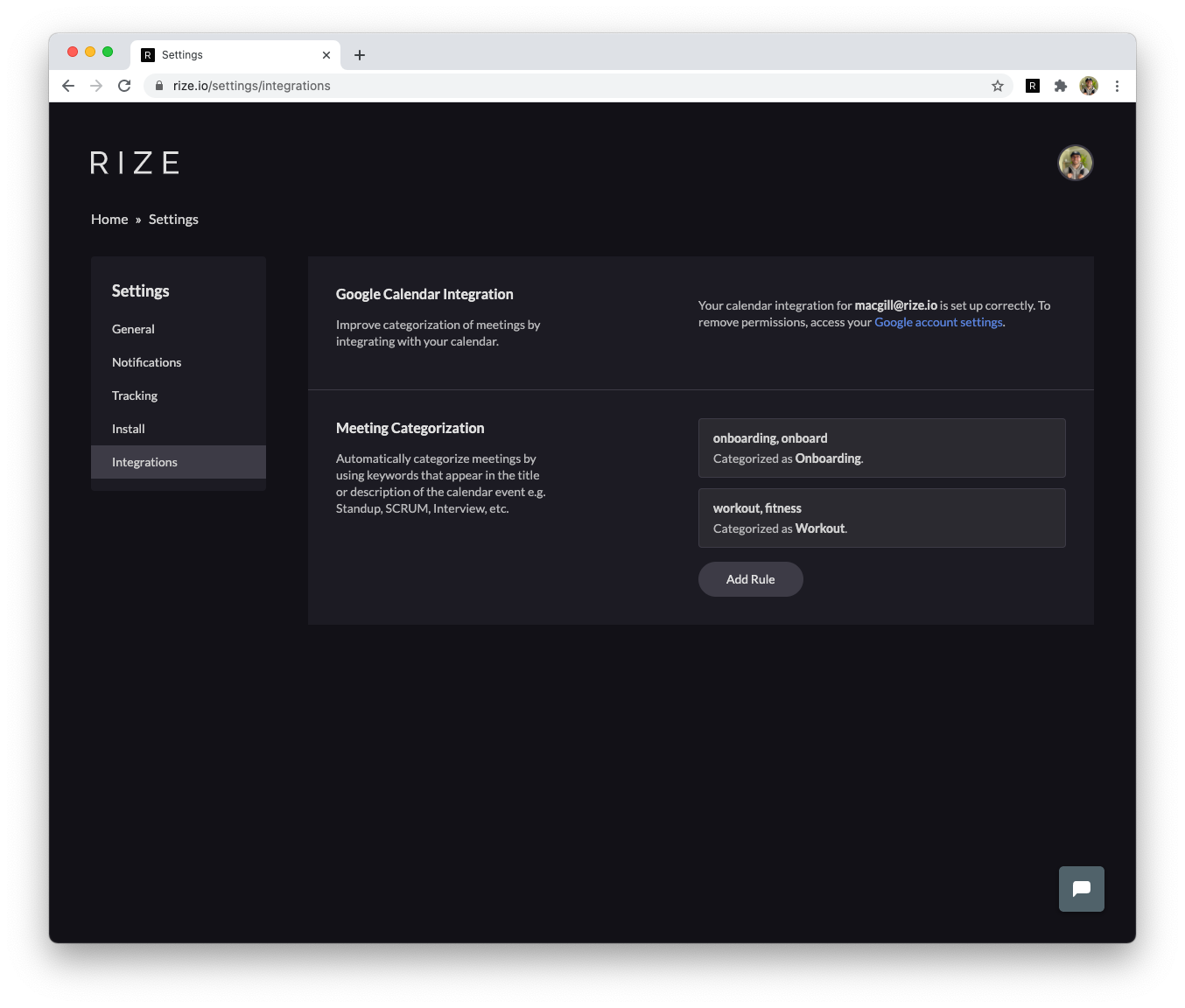
- Google Calendar integration - You can now integrate with Google Calendar to better capture meetings in Rize. When you integrate, Rize will cross-reference your work activity with your calendar. If Rize captures a meeting event, such as time spent in Zoom, it will check your calendar for active meetings and recategorize your timeline block if it finds one. This will improve the accuracy of your timeline. You can integrate in your settings.
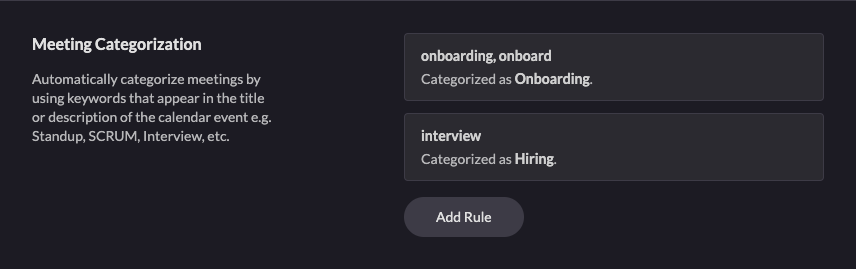
- Meeting Categorization Rules - In addition to integrating with Google Calendar, you can also add calendar rules to categorize meeting time beyond just “meetings”. Just select keywords and a category, and Rize will recategorize corresponding meeting blocks as that category. You can use this to categorize team meetings as Standup, interviews as Hiring, or time with a coworker as Pair Programming. Rize will still capture these times in your Meeting Score even though the category is not “meetings”. You can create rules after integrating with Google Calendar in your settings.
- Autoscaling of Dynos - We ran into some scaling issues the Friday before and during Thanksgiving week. Traffic to Rize can spike at unexpected times and this caused several extremely long job queues to build up. We integrated with a great Heroku add-on called Rails Autoscale that has completely solved the issue. You can view it in the Heroku Dev Center.
Up next
- Interactive Timeline + Notes Refactor - We got such great feedback from everyone who filled out our product feedback survey last week. We’re going to be rethinking the timeline as well as notes based on that input.
Other Updates
- Windows Desktop App Development - We’ve decided to pause development on the Windows desktop application until January. We’re a bit stretched on time and we want to double down on making Rize even more valuable for existing users. We wish we could ship sooner. The benefit is that the product should be a lot more polished and valuable when we launch Windows in the new year!!
Thank you for filling out our feedback survey. It’s greatly impacted our roadmap for Rize.

.png&w=3840&q=75)