Time management methods, techniques, and strategies are structured approaches to planning, prioritizing, and executing your work. The right mix can recover 1-2 hours per day that most knowledge workers lose to context switching, procrastination, and unfocused multitasking. The wrong approach adds overhead without results.
This guide ranks 15 proven time management methods by effectiveness for desk-based knowledge workers, with step-by-step instructions for each one. Every method is evaluated on three criteria: how quickly it produces results, how much daily overhead it requires, and whether it works for creative deep work or administrative tasks.
Quick Answer
The most effective time management strategies for knowledge workers are time blocking for calendar structure, the Pomodoro Technique for starting hard tasks, the Eisenhower Matrix for prioritization, Eat the Frog for procrastination, task batching for reducing context switching, and the 80/20 Rule for focusing on high-impact work. Combine 2-3 methods and measure your actual hours with automatic time tracking.
Time Management Improvement Tips
If you want immediate improvement without adopting a full system, start with these evidence-based time management tips: time block your calendar so every working hour has a job, tackle your hardest task before opening email or Slack, batch similar low-energy tasks into single windows, use a timer to create urgency on work you avoid, and protect one 90-minute deep-work block each morning. These five tips address the most common leaks — reactive mornings, fragmented attention, and unclear priorities — without requiring a complex system.
Most people fail at time management because they rely on willpower and memory. Tips become habits only when they are scheduled and measured. If you want to see where your time actually goes before choosing a method, automatic time tracking gives you a baseline to measure against, and productivity tracking shows whether your new habits are actually increasing focus time.
Time Management Techniques vs. Strategies vs. Methods
Techniques are small tactics you can use in the moment — a timer, a two-minute rule, a priority letter. Methods are complete workflows — GTD, Pomodoro, time blocking — that organize how work gets done. Strategies are higher-level decisions about what work to do and when, such as doing deep work in the morning and admin in the afternoon. The best performers combine all three: a strategy for when to work, a method for planning the day, and techniques for starting and staying focused.
| Category | Purpose | Best Examples |
|---|---|---|
| Tips | Quick fixes you can apply today | Do the hardest task first, batch email, protect morning blocks |
| Techniques | Tactics for starting and sustaining focus | Pomodoro, timeboxing, Two-Minute Rule, Ivy Lee |
| Methods | Complete workflows for organizing work | Time blocking, GTD, Eisenhower Matrix, Kanban |
| Strategies | High-level decisions about what to prioritize and when | 80/20 Rule, Eat the Frog, energy management, batching |
Best Strategies for Time Management
The best strategies for time management are time blocking for structuring your calendar, the Eisenhower Matrix for sorting urgent versus important work, Eat the Frog for doing the hardest task first, task batching for reducing context-switching costs, and the 80/20 Rule for focusing on the small number of tasks that produce most of your results. Choose based on whether your biggest bottleneck is planning, prioritization, procrastination, switching, or focus.
These five strategies work together rather than competing. Time blocking gives each strategy a scheduled place in your day. The Eisenhower Matrix decides what belongs in those blocks. Eat the Frog fills the first and most valuable block. Task batching groups the leftover admin so it does not fragment deep work. The 80/20 Rule makes sure the work you protect actually matters. For a deeper look at how automatic capture supports every strategy on this list, see our guide to the best automated time tracking software.
Top Techniques for Time Management
The top techniques for time management are the Pomodoro Technique for breaking resistance on difficult tasks, timeboxing for limiting over-investment in low-value work, the Ivy Lee Method for limiting daily priorities to six items, the Two-Minute Rule for clearing small tasks immediately, and energy management for matching task difficulty to your biological peaks. These techniques solve specific execution problems, so most people combine two or three depending on the day.
Effective Methods for Time Management
The most effective methods for time management are Getting Things Done (GTD) for processing large numbers of open loops, time blocking for calendar-based planning, the Eisenhower Matrix for priority sorting, Kanban for visual workflow management, and automatic time tracking for measuring where your time actually goes. A method is only effective if it matches your workload — GTD scales for complex projects, while time blocking works best for people with predictable schedules.
Techniques for Better Time Management
Techniques for better time management fall into three categories: protecting focus (time blocking, Pomodoro, distraction blocking), reducing friction (batching, Two-Minute Rule, automation), and improving decisions (Eisenhower Matrix, 80/20, ABCDE). The fastest way to get better is to pick one technique from each category and run it for two weeks while measuring its impact on your focus time and output.
1. Time Blocking
Time blocking is the practice of assigning every task to a specific time slot on your calendar. Instead of working from a to-do list and deciding what to do next in the moment, you plan your entire day in advance and execute the plan.
Cal Newport popularized time blocking in Deep Work and calls it "the most productive thing I do." A 2018 study in the Journal of Consumer Research found that people who time block complete 30% more tasks than those who work from unstructured to-do lists.
How to start: Open your calendar. Block 2-3 hours for your most important work in the morning when cognitive energy peaks. Block meetings and admin into afternoon slots. Protect deep work blocks like immovable meetings. Re-block at midday when plans shift.
Best for: Knowledge workers who lose time to context switching. Developers, writers, designers, and consultants who need sustained focus periods. Pairs well with productivity tracking to measure plan adherence.
2. Pomodoro Technique
The Pomodoro Technique uses 25-minute focused work intervals (called pomodoros) separated by 5-minute breaks. After four pomodoros, you take a longer 15-30 minute break. The timer creates urgency that prevents procrastination and limits the damage of interruptions.
Developed by Francesco Cirillo in the late 1980s and named after a tomato-shaped kitchen timer, the method now has research support. The Draugiem Group tracked employee behavior and found the highest-performing workers followed a similar rhythm, working in focused 52-minute intervals with 17-minute breaks.
How to start: Pick one task. Set a 25-minute timer. Work on nothing else until it rings. Take a 5-minute break. Repeat. After 4 cycles, take a 15-30 minute break. Track completed pomodoros to see your daily capacity.
Best for: Tasks you tend to procrastinate on. Writing, studying, email processing, and any work that feels overwhelming when viewed as a whole. Less effective for creative work that requires sustained flow states longer than 25 minutes.
3. Eisenhower Matrix
The Eisenhower Matrix sorts every task into one of four quadrants based on urgency and importance. The framework forces you to distinguish between tasks that feel urgent (email, Slack) and tasks that are actually important (strategy, deep work, relationship building).
Named after President Dwight Eisenhower, who said "What is important is seldom urgent and what is urgent is seldom important." Stephen Covey expanded the concept in The 7 Habits of Highly Effective People.
The four quadrants:
- Q1 (Urgent + Important): Do immediately. Deadlines, crises, client emergencies.
- Q2 (Important + Not Urgent): Schedule. Strategy, deep work, learning, health. This is where high performers spend most of their time.
- Q3 (Urgent + Not Important): Delegate. Most meetings, some emails, other people's priorities.
- Q4 (Not Urgent + Not Important): Eliminate. Social media, excessive email checking, busy work.
Best for: Leaders and managers who are pulled in many directions. Anyone whose day is consumed by reactive work (Q1 and Q3) at the expense of proactive work (Q2).
4. Eat the Frog
Eat the Frog means doing your hardest, most important task first thing in the morning. The "frog" is the task you are most likely to procrastinate on. By completing it before anything else, you eliminate the cognitive drain of avoidance that saps energy throughout the day.
The concept comes from a quote attributed to Mark Twain: "If it's your job to eat a frog, it's best to do it first thing in the morning. And if it's your job to eat two frogs, it's best to eat the biggest one first." Brian Tracy popularized it in his 2001 book Eat That Frog!
How to start: Before ending your workday, identify tomorrow's frog. Write it on a sticky note. In the morning, do the frog before opening email, Slack, or any other communication tool. Protect the first 60-90 minutes of your day for this single task.
Best for: Chronic procrastinators. People whose mornings get hijacked by email and meetings. Pairs well with time blocking — make the first block your frog.
5. The 80/20 Rule (Pareto Principle)
The 80/20 Rule states that roughly 80% of your results come from 20% of your effort. Applied to time management, this means identifying the small number of tasks that produce disproportionate results and ruthlessly prioritizing them over everything else.
Vilfredo Pareto discovered this distribution when he observed that 80% of Italy's land was owned by 20% of the population. The pattern appears everywhere: 80% of revenue comes from 20% of clients, 80% of bugs come from 20% of code, and 80% of your productive output comes from 20% of your work hours.
How to start: List everything you did last week. Circle the 2-3 tasks that produced the most tangible results. Those are your 20%. Schedule more time for them next week and less time for everything else. Automatic time tracking shows exactly where your hours go, making the 80/20 split visible.
Best for: Entrepreneurs, freelancers, and anyone who feels busy all day but unproductive. Forces you to confront the gap between effort and output.
6. Getting Things Done (GTD)
Getting Things Done (GTD) is David Allen's five-step workflow for processing everything on your plate: capture, clarify, organize, reflect, engage. The core insight is that your brain is terrible at storing to-dos and excellent at executing them, so you should externalize every open loop into a trusted system.
The five steps:
- Capture — write down every task, idea, and commitment in one inbox.
- Clarify — for each item, decide: is it actionable? If yes, what is the next physical action?
- Organize — sort actions into lists by context (at computer, in meetings, calls to make).
- Reflect — review lists weekly to keep the system current.
- Engage — execute the right action based on context, energy, and priority.
Best for: People who feel overwhelmed by the number of things on their plate. Knowledge workers with many projects running simultaneously. GTD has more setup overhead than other methods but scales better for complex workloads.
7. Timeboxing
Timeboxing sets a fixed time limit on a task, regardless of whether it is finished. Unlike time blocking (which assigns tasks to slots), timeboxing constrains how long you spend on any single task. When the timebox expires, you stop and move to the next task.
According to a Harvard Business Review analysis, timeboxing was rated the most useful productivity method, ahead of to-do lists, by the 100 most productive people they surveyed. The method works because it creates artificial deadlines that trigger focused effort.
How to start: For your next task, estimate how long it should take. Set a timer for that duration. When it rings, stop — even if you are not done. Move to the next task. Adjust time estimates as you learn your real pace.
Best for: Perfectionists who over-invest in tasks that do not warrant it. Meetings that consistently run over. Any recurring task where you regularly spend more time than the output justifies.
8. Task Batching
Task batching groups similar tasks together and completes them in a single session. Instead of checking email throughout the day, you batch email into two 30-minute windows. Instead of switching between coding, meetings, and admin, you dedicate entire blocks to each category.
The American Psychological Association found that context switching costs 40% of productive time. Batching eliminates these transitions by keeping your brain in the same mode for extended periods.
How to start: Categorize your recurring tasks into groups: communication (email, Slack, calls), creative work (writing, design, coding), admin (invoicing, scheduling, filing). Assign each category to a time block and do all tasks of that type in one sitting.
Best for: Anyone who switches between tasks frequently. Freelancers who juggle client work with business admin. Pairs with time blocking.
9. The Two-Minute Rule
The Two-Minute Rule is simple: if a task takes less than two minutes, do it immediately instead of adding it to a list. The overhead of capturing, organizing, and revisiting a task often exceeds the time to just do it.
David Allen introduced this rule as part of the GTD system, but it works as a standalone tactic. The key is strict adherence to the two-minute threshold — if it takes three minutes, it goes on the list.
Best for: Clearing small tasks that accumulate and create mental clutter. Quick email replies, filing documents, scheduling meetings. Not a standalone time management method but an effective complement to any system.
10. The ABCDE Method
The ABCDE Method assigns a priority letter to every task on your list. A = must do (serious consequences if not done), B = should do (mild consequences), C = nice to do (no consequences), D = delegate, E = eliminate. Within each letter, number tasks by importance (A1, A2, A3).
Brian Tracy popularized this method alongside Eat the Frog. The two pair well: use ABCDE to identify your frog (your A1 task), then eat it first.
Best for: People who have too many tasks and cannot decide what to do first. Simpler than the Eisenhower Matrix — just five letters. Works well as a daily planning ritual.
11. The Ivy Lee Method
The Ivy Lee Method limits your daily to-do list to exactly six tasks, ranked by importance. You work through them in order — finishing task one before starting task two. At the end of the day, move unfinished tasks to tomorrow's list.
Ivy Lee created this method in 1918 for Charles Schwab's steel company executives. Schwab was so impressed by the productivity gains that he paid Lee $25,000 (equivalent to roughly $500,000 today). The method works because it forces brutal prioritization and eliminates the paralysis of long to-do lists.
Best for: People who make to-do lists with 20+ items and never complete them. The six-item constraint forces focus on what matters.
12. Energy Management
Energy management schedules tasks based on your biological energy cycle rather than external deadlines. Most people have a cognitive peak in the morning (9-11 AM), an energy dip after lunch (1-3 PM), and a secondary peak in late afternoon (3-5 PM). Matching task difficulty to energy level produces better work in less time.
Daniel Pink documents the science behind daily energy rhythms in When: The Scientific Secrets of Perfect Timing. His research shows that analytical tasks are best performed during peak hours, while creative brainstorming often works better during the post-lunch dip when inhibitions are lower.
How to start: Track your energy and focus for one week. Note when you feel sharp and when you feel foggy. Move your hardest tasks to your peak hours and routine tasks to your low-energy periods. Rize's productivity insights show when you are most focused so you can align your schedule to your natural rhythm.
Best for: Anyone who does their best thinking in the morning but spends it in meetings. People who feel exhausted by 2 PM despite working all day.
13. The Seinfeld Strategy (Don't Break the Chain)
The Seinfeld Strategy builds consistency by marking a calendar every day you complete a target behavior. The visual chain of X marks creates motivation to keep the streak going. Jerry Seinfeld used this method to write jokes every day — his advice to aspiring comedians was simply "don't break the chain."
How to start: Pick one task or habit you want to do daily (write for 30 minutes, exercise, read). Get a wall calendar. Mark a big red X on every day you do it. After a few days, the chain becomes its own motivation.
Best for: Building new habits. Writers, creatives, and anyone trying to establish a daily practice. Not a scheduling method — more of a consistency tool that complements other methods.
14. The Kanban Method
Kanban visualizes your workflow as cards moving through columns: To Do, In Progress, and Done. The critical rule is limiting work in progress (WIP) — you set a maximum number of tasks that can be in the "In Progress" column at once. When you hit the limit, you must finish something before starting anything new.
Originally developed by Toyota for manufacturing, Kanban has become one of the most popular task management methods in software development and knowledge work. Tools like Trello, Linear, and Notion implement Kanban boards natively.
Best for: Teams managing shared workloads. Individual workers who start many tasks but finish few. The WIP limit is the key insight — without it, Kanban is just a to-do list with columns.
15. Automatic Time Tracking
Automatic time tracking is not a planning method — it is a measurement method that makes every other method on this list more effective. By recording where your time actually goes, it reveals the gap between your planned schedule and your real behavior. Most knowledge workers overestimate their productive hours by 20-40%.
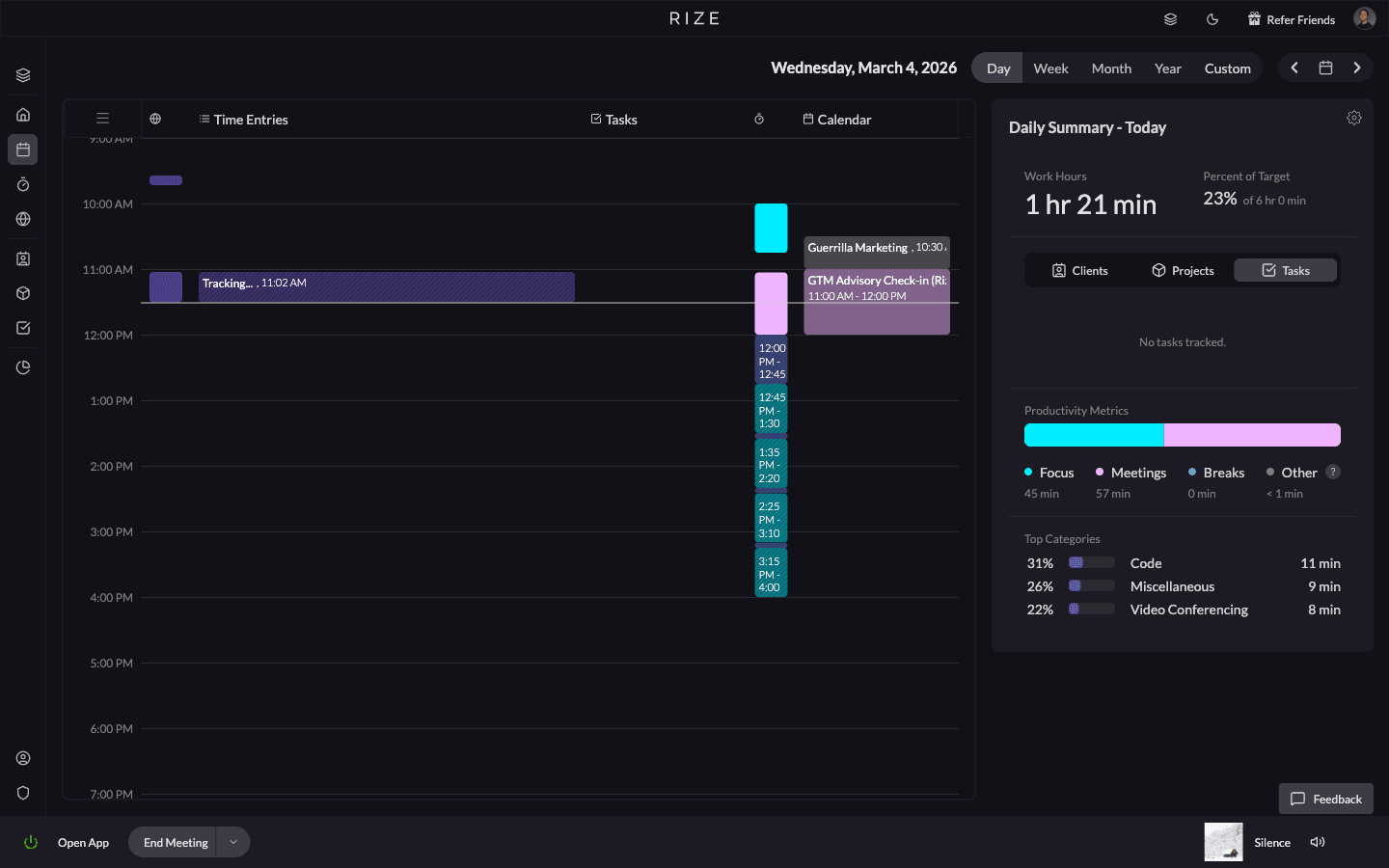
Tools like Rize run in the background and log every app, website, and document you work in. The data shows your real focus time, context switches, break patterns, and peak productivity hours without requiring any manual input.
How to start: Install an automatic time tracker and run it for one week without changing anything. Review the data to see where time goes. Use the insights to choose the right time management method from this list and measure whether it actually works.
Best for: Anyone who has tried time management methods before and abandoned them. The data creates accountability that willpower alone cannot provide. Particularly valuable for agencies and professional services firms that need to track billable hours accurately.
How to Choose the Right Time Management Method
Match the method to your biggest problem:
- I procrastinate on hard tasks: Eat the Frog + Pomodoro
- I am busy all day but unproductive: 80/20 Rule + automatic time tracking
- My calendar is full of meetings: Time blocking + Eisenhower Matrix
- I start things but do not finish them: Kanban with WIP limits + Ivy Lee
- I am overwhelmed by my task list: GTD or ABCDE Method
- I lose energy in the afternoon: Energy management + task batching
Most productive people combine 2-3 methods. The common pattern is one method for planning (time blocking or GTD), one for execution (Pomodoro or timeboxing), and one for measurement (automatic time tracking).
Measure What Works
The biggest failure mode with time management methods is adopting one without measuring whether it works. You try Pomodoro for a week, it feels productive, but you have no data to confirm that output actually increased.
Rize solves this by automatically tracking your focus time, context switches, and productive hours every day. Compare your pre-method baseline to your post-method results. If focus time does not increase within two weeks, the method is not working for your workflow — try a different one from this list. For teams and agencies, compare your stack against the best automated time tracking software to find the tool that captures the work other methods miss.